Teachmint · Interactive UI design · 2024
One question at a time.
A step-by-step interface for answering school questions and viewing a digitization score.
The brief
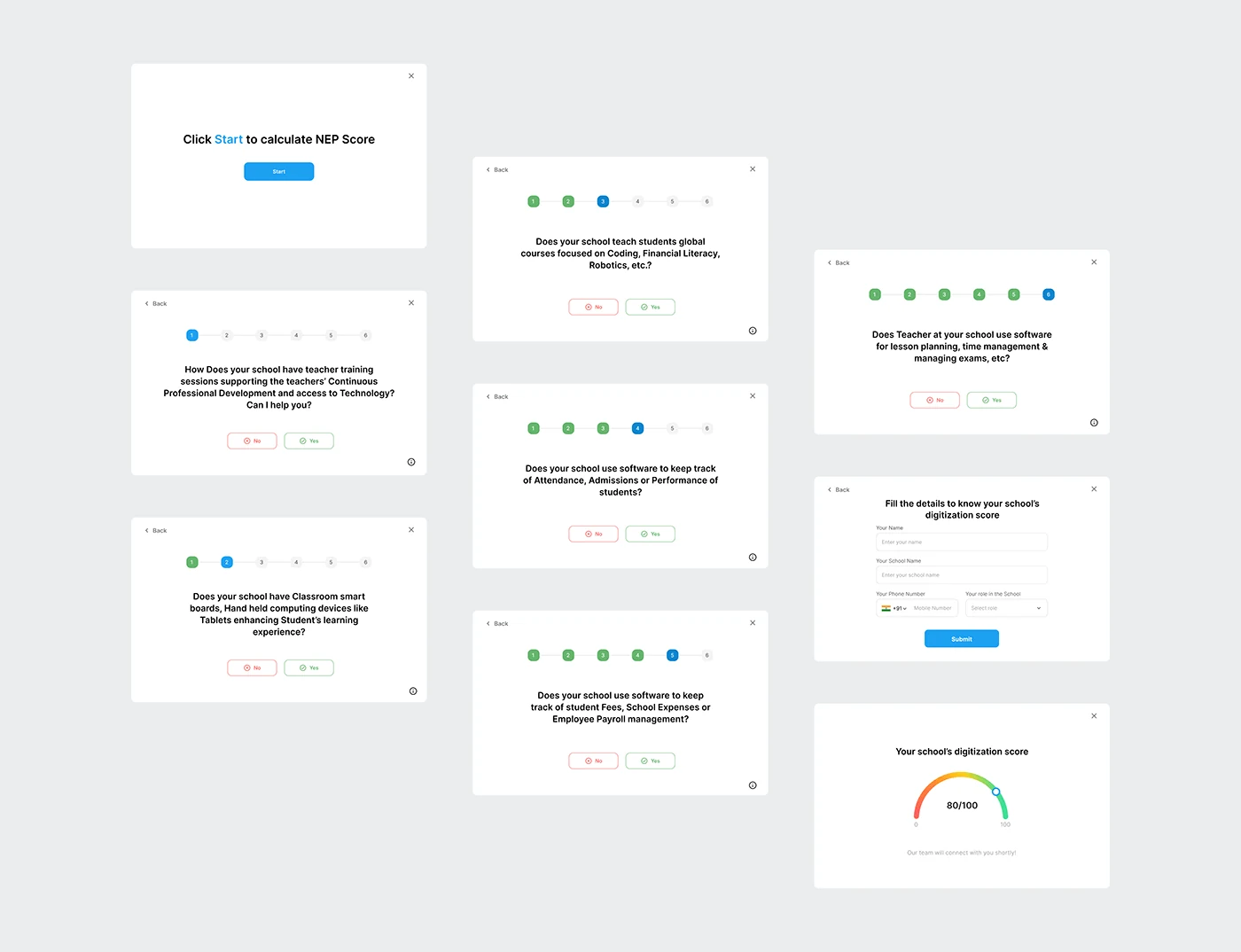
This interface study presents a school-assessment journey: start the calculator, answer a sequence of questions, provide school details and view a score.
01 / Make progress visible
Numbered steps distinguish completed questions from the current question. Back and close controls remain available in the question panels.
02 / Keep each decision focused
The question screens use a consistent layout with a single prompt and Yes or No choices. The published examples cover training, classroom technology and school software.
03 / Finish with a readable result
A school-details form precedes the result. The final panel presents a school digitization score on a coloured gauge, with a short follow-up message.
The deliverable
A set of UI screens covering the calculator’s entry, questions, form and result.
Tools: Figma
Project artwork

Next project